



iStockphoto / Andreyuu/MacroFactor Workouts
MacroFactor Workouts app and fitness routine with kettlebells in the gym
When it comes to fitness there is no ‘one size fits all’ routine that everyone can follow to achieve optimal results. First and foremost, that is because the definition of ‘optimal results‘ is different for each and every one of us.
Personal training is often prohibitively expensive. Group fitness classes can be great but lack personalization. So where does that leave the millions of people who want to start lifting weights but aren’t quite sure where to begin? I’m glad you asked: MacroFactor Workouts.
Download the MacroFactor App For iPhone or Android – use code ‘brobible’
After MacroFactor built out the best calorie tracking app on the market the millions of devoted users began constantly begging for a workout app. Bodybuilder Jeff Nippard is one of the co-founders of MacroFactor and it felt like only a matter of time before MacroFactor could fill the market void in the workout space because while there were decent apps out there nobody had launched anything truly great yet.
Personalized Workout Routines With MacroFactor Workouts
Cass Anderson / BroBible
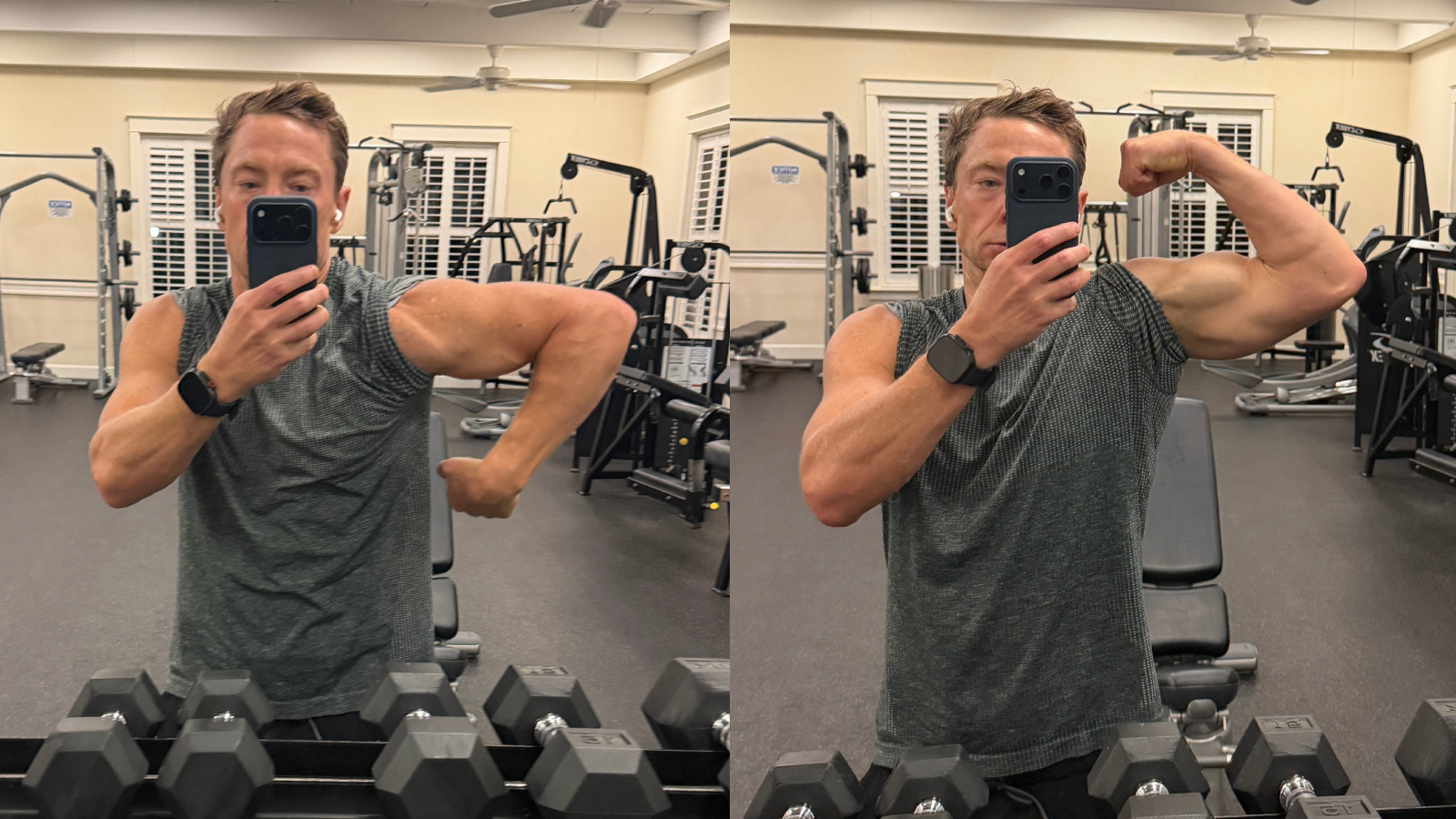
MacroFactor Workouts App in action
That all changed in January when MacroFactor Workouts was released with a focus on progressive overload. I’ve written in the past about how MacroFactor Workouts beats the HEVY App in a head-to-head comparison but today I wanted to discuss how simple it is to create a tailor-made workout routine, just for you, with any extra focus on muscle groups you would like to add.
To start, consistency is key. I have said this countless times in recent workout-related articles but if you show up and do the work you will see results. Beyond that, we want to optimize the best routine for you.
When first starting with the MacroFactor Workouts app you have multiple options. You can create your own workout routine from scratch or allow MF Workouts to create the routine for you. I’ve opted for both, choosing to import my Upper/Lower Body Split workouts as well as having MacroFactor Workouts create a new routine for me from scratch with an emphasis on abs and lats.
BroBible / MacroFactor
You feed the MacroFactor Workouts app some simple data such as your experience level with resistance training, are you a brand new lifter or have been doing it for years? You tell the app how often you want to workout, 1-2 days or 3-5 each week. You also specify how long you would like each workout to be as well as mark available equipment so the app can optimize your routine with all of the equipment at your disposal, whether that be your local gym or a handful of weights, kettle balls, and resistance bands at home.
Download the MacroFactor App For iPhone or Android – use code ‘brobible’
That step is particularly crucial because we are all creatures of habit by nature. Whether we are starting lifting from Day 1 or have been lifting for the past 20 years, it is hard to properly think outside the box with the equipment at our disposal. To the massive credit of personal training, that is an area where trainers thrive because they are encyclopedias of knowledge when it comes to different exercises… But so is MacroFactor Workouts’ internal AI, and it doesn’t forget exercises like humans can.
After specifying your equipment you tell the app which muscle groups, if any, you would like to place emphasis on. Also if you would prefer a full body approach or an upper/lower body split. Then voila! You receive a fully customized workout routine for your body, with the equipment available to you, based on your wants and needs.
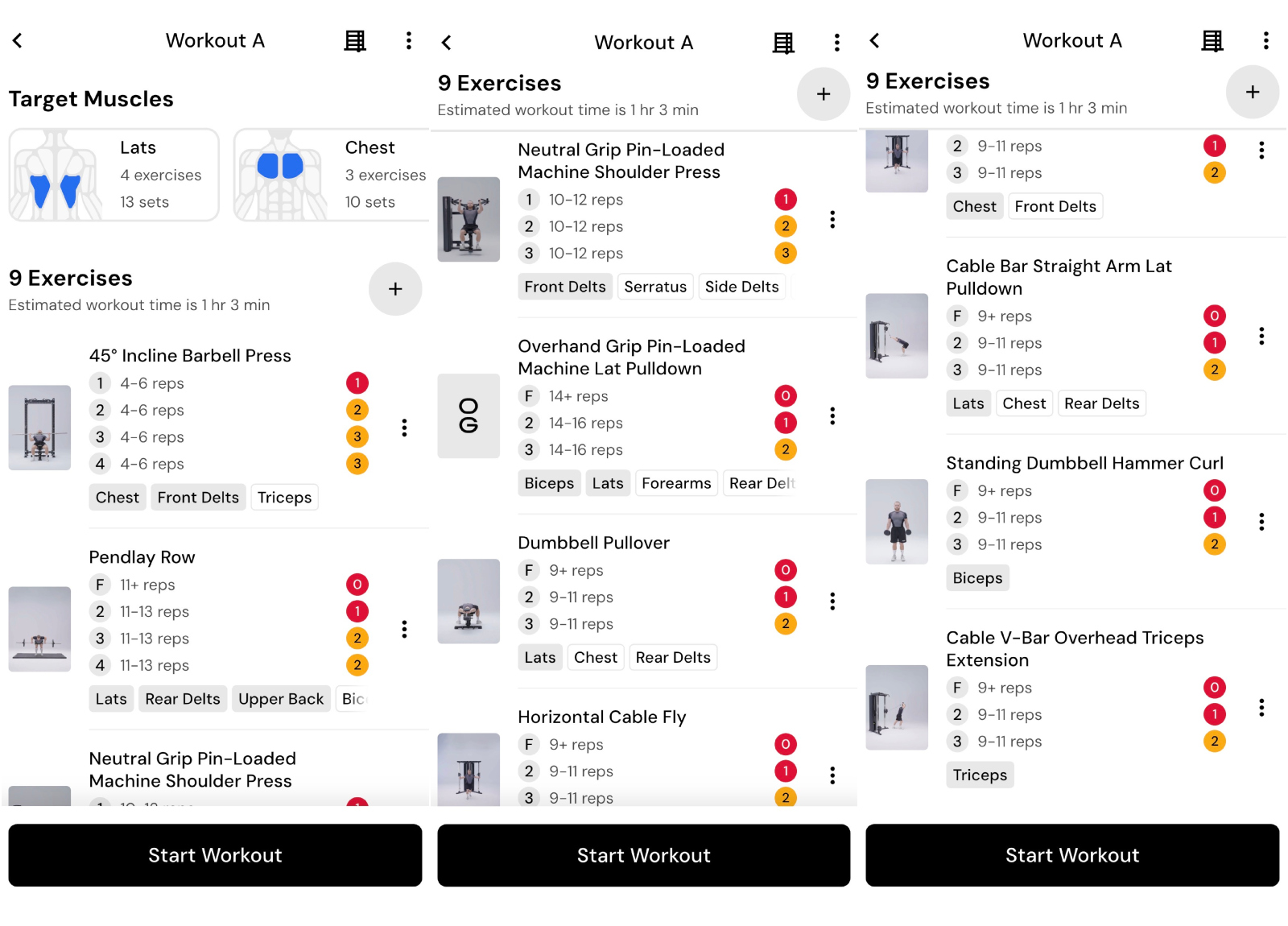
For context, here is what the MacroFactor Workouts app created for me across a 7-day span with three rest days built in to allow for my muscles to recover and grow.
Day 1 (9 Exercises): 45° Incline Barbell Press, Pendlay Row, Neutral Grip Pin-Loaded Machine Shoulder Press, Overhand Grip Pin-Loaded Machine Lat Pulldown, Dumbbell Pullover, Horizontal Cable Fly, Cable Bar Straight Arm Lat Pulldown, Standing Dumbbell Hammer Curl, and Cable V-Bar Overhead Triceps Extension
Cass Anderson / BroBible / MacroFactor Workouts
MacroFactor Workouts routine for Cass Anderson of BroBible
Day 2: Rest (and cardio).
Day 3 (5 Exercises): Pause Back Squat, Smith Machine Romanian Deadlift, Seated Single Leg Hamstring Curl, Cable Hip Abduction (Leg In Front Of Body), Machine Crunch With Overhead Handles.
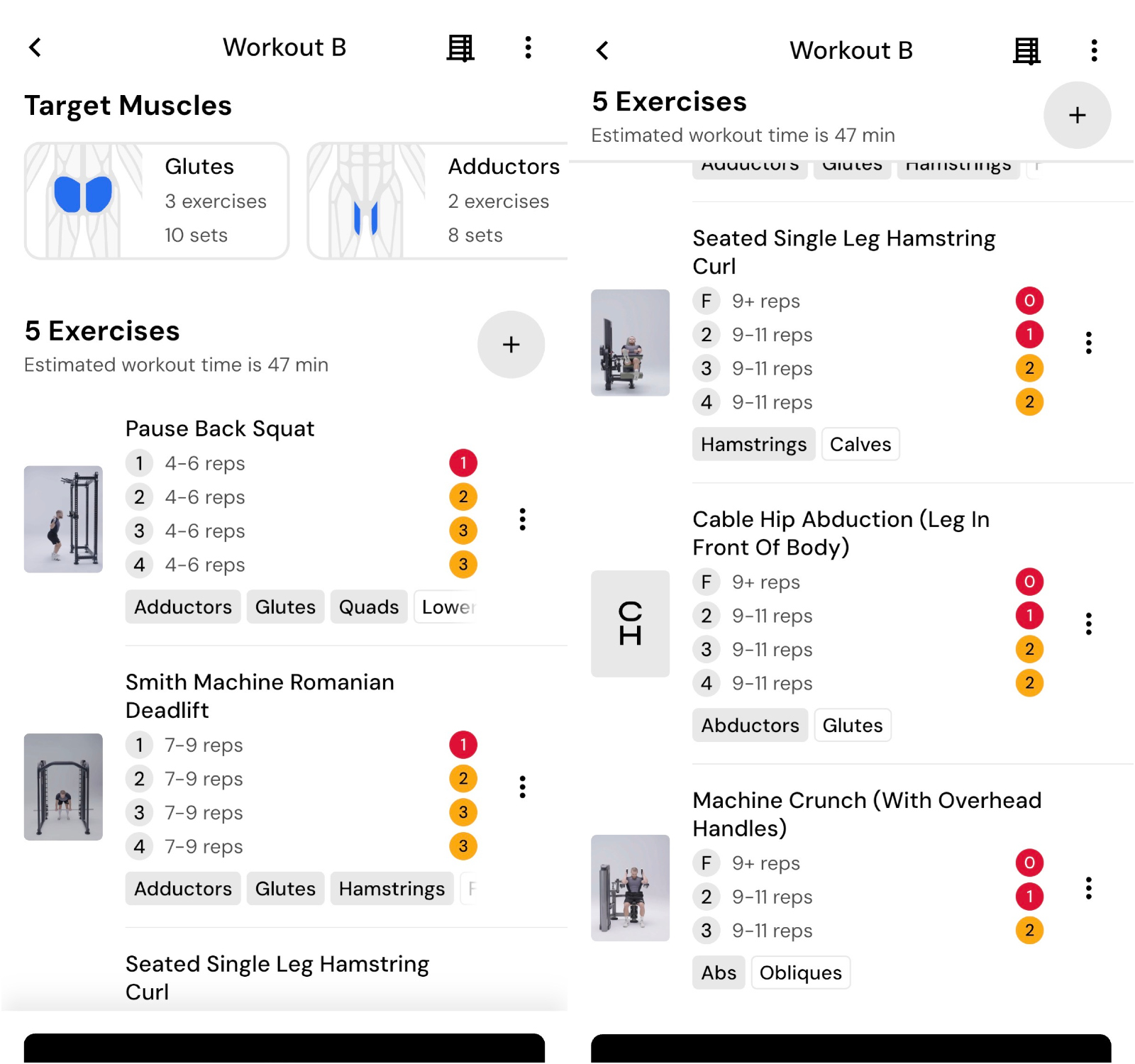
Cass Anderson / BroBible / MacroFactor Workouts
MacroFactor Workouts routine for Cass Anderson of BroBible
Day 4: Rest (and Cardio)
Day 5 (8 Exercises): Seated Dumbbell Overhead Press, Overhand Grip Pull-Up, Low Incline Dumbbell Press, Underhand Grip Yates Row, 45° Incline Dumbbell Fly, Cable Rope Straight Arm Lat Pulldown, Low-to-High Cable Fly, Plate-Weighted Neck Curl.
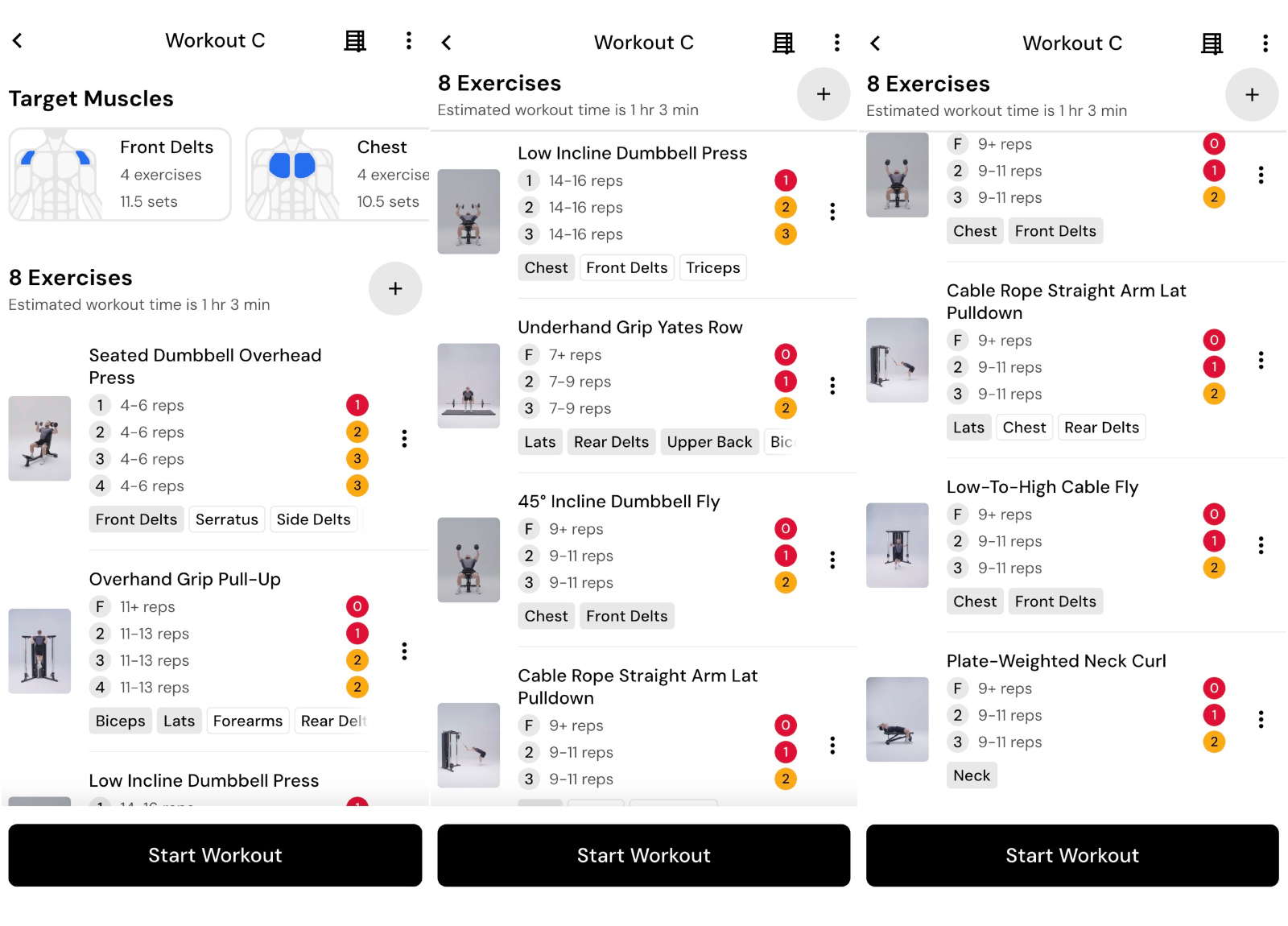
Cass Anderson / BroBible / MacroFactor Workouts
MacroFactor Workouts routine for Cass Anderson of BroBible
Day 6 (6 Exercises): Sumo Deadlift, Smith Machine Back Squat, Nordic Hamstring Curl, Foot-Elevated Single Leg Bodyweight Glute Bridge, Seated Hamstring Curl, Ab Wheel Rollout.
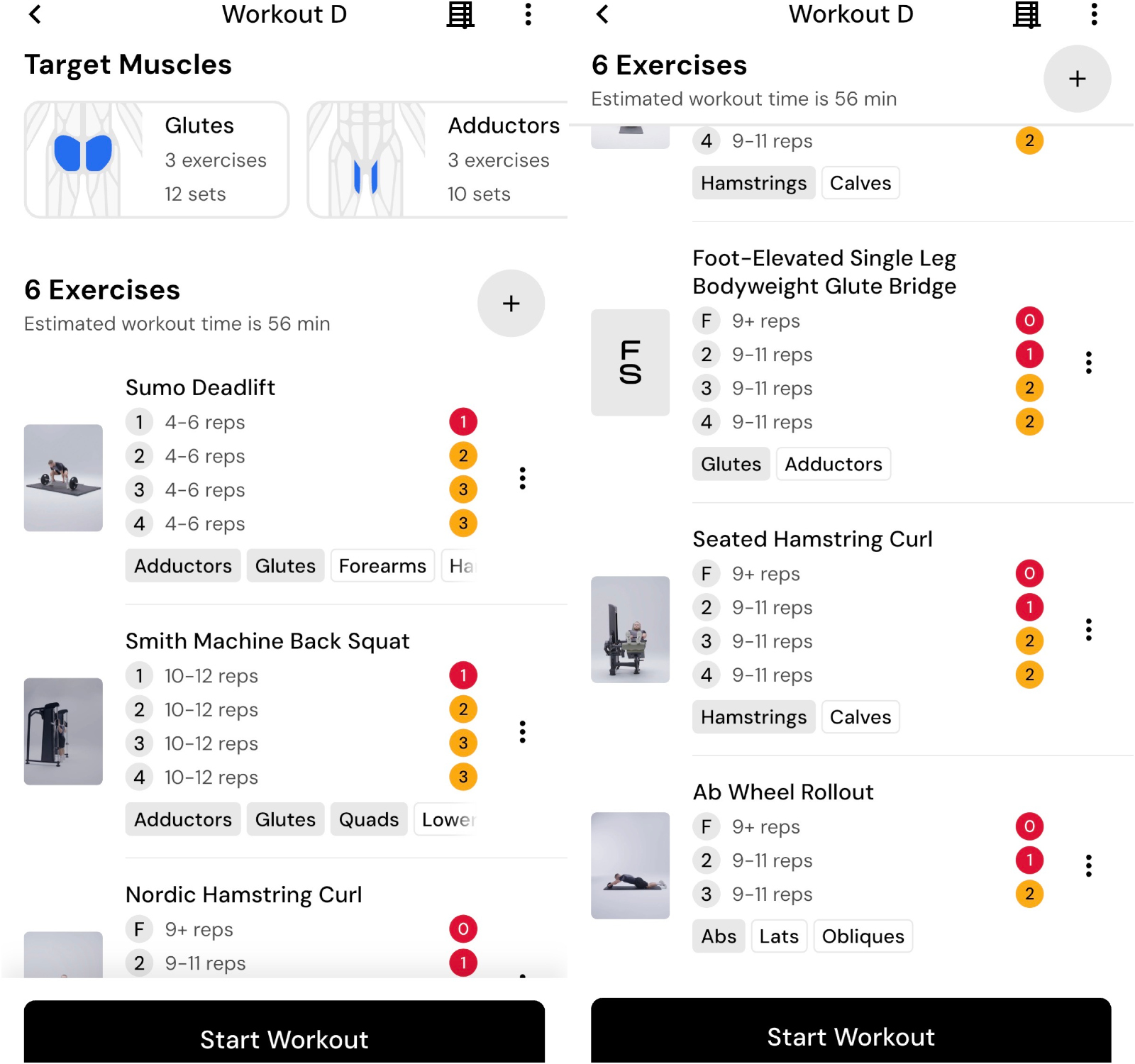
Cass Anderson / BroBible / MacroFactor Workouts
MacroFactor Workouts routine for Cass Anderson of BroBible
Day 7: Rest.
Download the MacroFactor App For iPhone or Android – use code ‘brobible’
When I’m feeling up to it I might add some timed Wall Sits and shoot for 10 minutes cumulative time, leg lifts while laying flat, and side planks with hip dips for additional focus on my abdominal muscles.
But all it took for me to whip up that personalized routine was inputting my wants/needs/experience into MacroFactor Workouts along with my available equipment and it built that week-long routine for me. Truly incredible stuff.
Read to get started? You can download the MacroFactor Workouts app by following any of the links throughout this article. By using the promo code ‘BROBIBLE‘ you will receive a 2-week free trial. Two glorious weeks to test the MF Workouts app out and see if it’s for you.